

AI tools are no longer just for tech experts. Today, anyone can use free AI tools to automate everyday tasks—saving hours each week with minimal effort.
Whether you want to write emails faster, organise your schedule, or automate repetitive work, this guide shows you the best free AI tools and exactly how to use them in real life.
What Are AI Tools for Automation?
AI tools for automation are software applications that use artificial intelligence to perform tasks automatically.
These tasks include:
- Writing content
- Managing emails
- Scheduling meetings
- Analysing data
- Automating workflows
The goal is simple: reduce manual work and increase efficiency.
Why Use AI Tools for Everyday Tasks?
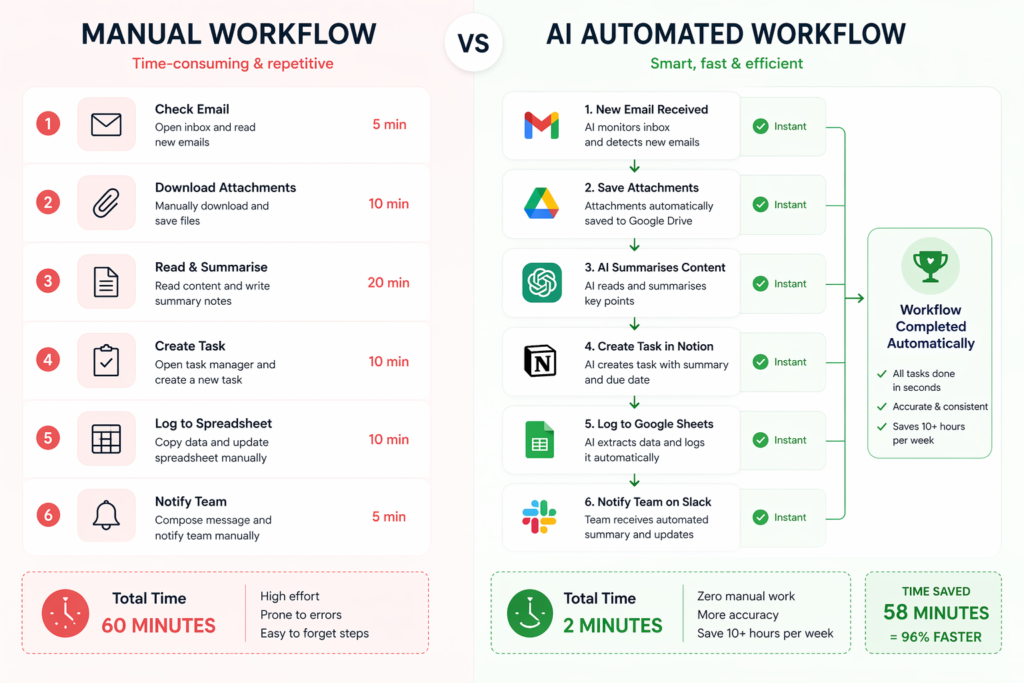
Using AI tools can save 5–15 hours per week, depending on your workflow.
Key benefits:
- Reduce repetitive tasks
- Improve productivity
- Minimise errors
- Free up time for important work
Example:
Instead of manually writing 10 emails daily, AI can generate drafts in seconds, saving 30–60 minutes per day.
10 Best Free AI Tools for Automating Everyday Tasks
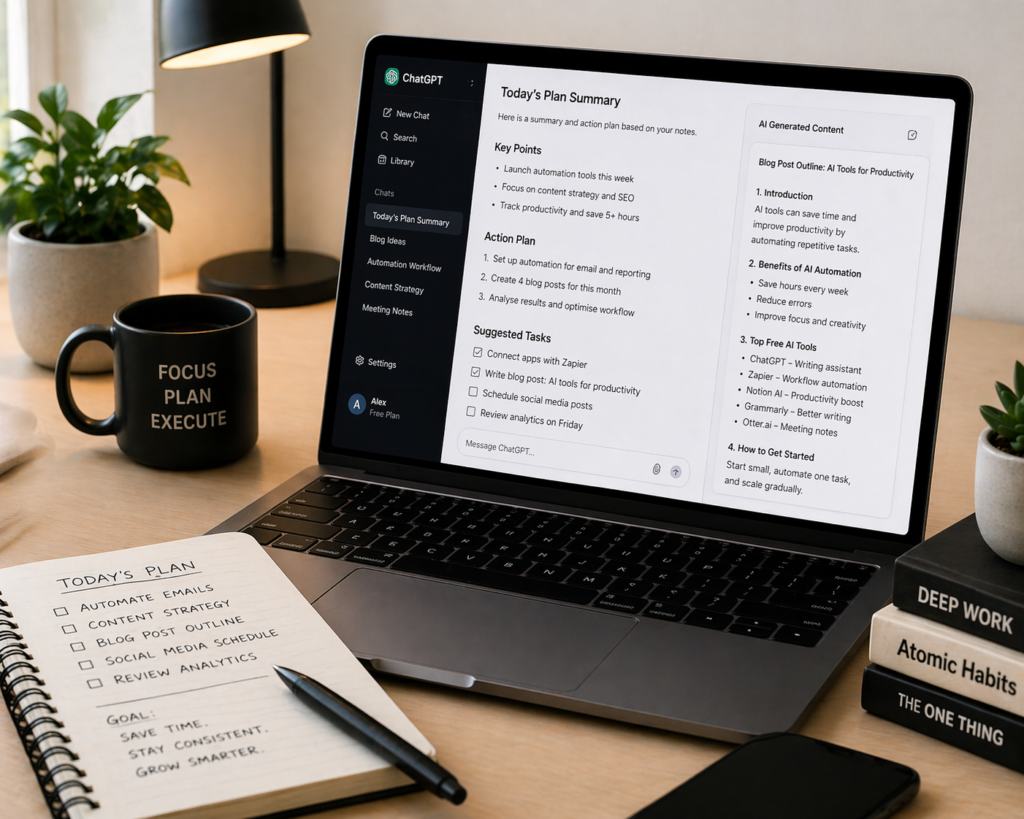
1. ChatGPT – Writing, Ideas, and Automation
Best for:
- Writing emails, blogs, summaries
- Brainstorming ideas
- Automating repetitive writing tasks
Example:
Use ChatGPT to generate 5 email replies in under 2 minutes instead of 20 minutes manually.
2. Zapier – Workflow Automation
Best for:
- Connecting apps automatically
- Creating workflows (called “Zaps”)
Example:
Automatically save email attachments to Google Drive and notify Slack—saving 10–20 minutes daily.
3. Notion AI – Productivity and Organisation
Best for:
- Note-taking
- Task management
- Content generation
Example:
Turn messy meeting notes into structured summaries instantly.
4. Grammarly – Writing and Editing
Best for:
- Grammar correction
- Tone improvement
- Professional writing
Example:
Edit emails and documents in real time, reducing mistakes by 80–90%.
5. Otter.ai – Meeting Transcription
Best for:
- Recording meetings
- Transcribing conversations
Example:
Automatically convert a 30-minute meeting into written notes, saving 20–30 minutes.
6. Canva AI – Design Automation
Best for:
- Social media graphics
- Presentations
- Quick visual content
Example:
Create 5 Instagram posts in 10 minutes instead of 1 hour.
7. Google Gemini – Research and Assistance
Best for:
- Research tasks
- Answering complex questions
- Content assistance
Example:
Summarise long articles into key points within seconds.
8. Microsoft Copilot – Office Productivity
Best for:
- Excel automation
- Word document generation
- PowerPoint creation
Example:
Generate reports in minutes instead of hours.
9. Trello + Butler – Task Automation
Best for:
- Project management
- Task automation
Example:
Automatically move tasks between boards based on deadlines.
10. IFTTT – Simple Automation
Best for:
- Everyday automation
- Smart device control
Example:
Automatically back up photos or trigger actions across apps.
Best AI Tools by Region (Quick Guide)
🌍 Global Tools
- ChatGPT – versatile writing and task automation
- Zapier – connects apps and automates workflows
- Canva – fast AI-powered design creation
🇺🇸 United States
- Otter.ai – accurate meeting transcription
- Grammarly – advanced writing improvement
- Microsoft Copilot – Office automation tools
🇬🇧 UK / Europe
- Notion AI – all-in-one productivity workspace
- Trello – simple project and task management
- IFTTT – easy automation for daily tasks
⚙️ Advanced Users
- Python + AI APIs – custom automation workflows
- Make (Integromat) – advanced visual automation
- Airtable AI – database + automation hybrid
How to Start Using AI Tools (Step-by-Step)
Step 1: Identify Repetitive Tasks
Look for tasks you do daily:
- Emails
- Data entry
- Scheduling
- Content creation
Example:
If you spend 1 hour daily on emails, this is your first automation target.
Step 2: Choose 1–2 Tools Only
Avoid overwhelm. Start simple:
- ChatGPT for writing
- Zapier for automation
This combination alone can save 5–10 hours weekly.
Step 3: Automate One Workflow
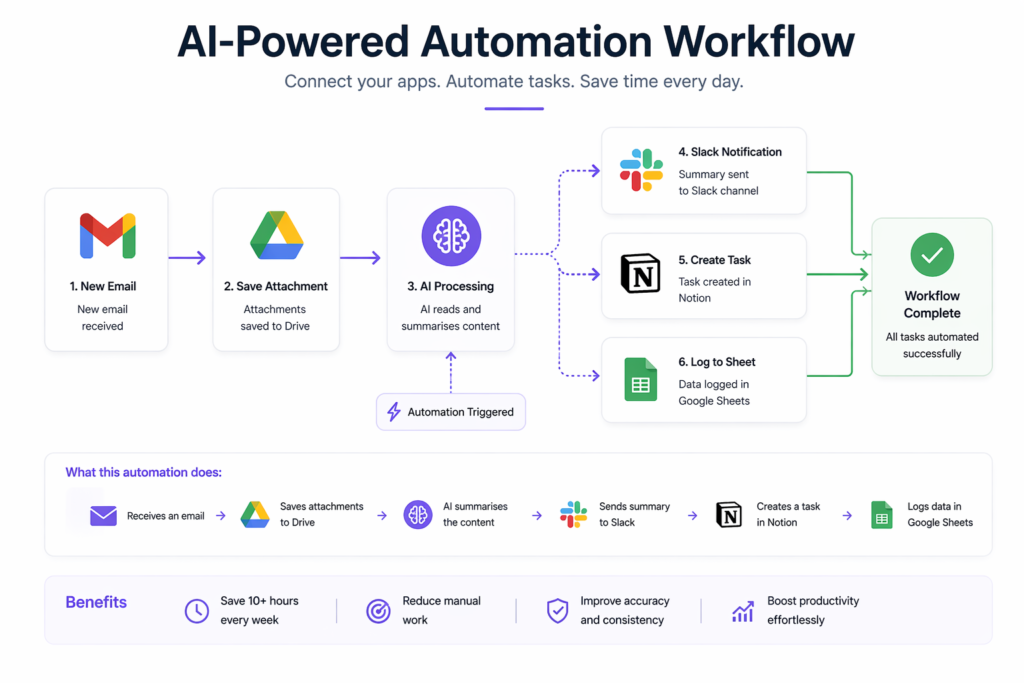
Example workflow:
- New email → summarised by AI
- Attachment → saved automatically
- Notification → sent to Slack
Time saved: 10–20 minutes per day.
Step 4: Scale Gradually
Once comfortable:
- Add more tools
- Automate more tasks
- Optimise workflows
Common Mistakes to Avoid
- Using too many tools at once
- Automating unnecessary tasks
- Not reviewing outputs
- Ignoring data privacy
Keep your system simple and effective.
FAQ
What are the best free AI tools for beginners?
Tools like ChatGPT, Canva, and Grammarly are beginner-friendly and require no technical skills.
Can AI tools really save time?
Yes, most users save 5–15 hours weekly by automating repetitive tasks like emails and scheduling.
Are free AI tools enough?
Free plans are sufficient for beginners, but advanced users may benefit from paid features.
Is automation difficult to set up?
No, many tools like Zapier and IFTTT offer simple, no-code setups.
Which AI tool should I start with?
Start with ChatGPT for general tasks and Zapier for automation workflows.
Conclusion
AI tools are transforming how we work and manage daily tasks.
Start with:
- One or two tools
- One simple workflow
- Gradual improvements
Even small automations can save hours every week.
Take action today:
Pick one tool, automate one task, and start building your productivity system.