

Do you ever feel like there are never enough hours in the day?
A lot of daily work gets wasted on repetitive tasks like writing the same emails, updating the same documents, or switching between apps. The good news is that the right AI tools for productivity can help you automate those small tasks, stay organized, and get more done in less time.
This guide will show you how to use AI tools to boost daily productivity fast, even if you are a complete beginner.
What Are AI Productivity Tools?
AI productivity tools are software tools that use artificial intelligence to help you work faster and more efficiently. They can assist with writing, planning, scheduling, automation, and data analysis.
Some common examples include:
- Writing assistants
- Workflow automation tools
- Smart scheduling apps
- Task and note organizers
- Data analysis tools
Instead of doing every task manually, you can use these tools to reduce effort and focus on more important work.
Why AI Tools Can Improve Your Daily Productivity
They save time on repetitive work
Many daily tasks follow the same pattern. AI can help speed up or automate things like:
- Drafting emails
- Summarizing notes
- Organizing tasks
- Updating spreadsheets
- Creating outlines
Saving even a few minutes on each task can make a big difference by the end of the day.
They help you stay focused
Constantly switching between small tasks can drain your energy. AI tools reduce that mental load by helping you handle routine work faster.
That means you can spend more time on meaningful tasks instead of getting stuck in busywork.
They reduce small mistakes
AI tools can also improve accuracy in areas like:
- Grammar and spelling
- Data entry
- Scheduling
- Formatting
While they are not perfect, they often help catch errors before they become bigger problems.

How to Use AI Tools to Boost Daily Productivity Fast
1. Automate repetitive tasks first
The easiest way to start is by looking at what you do again and again every day.
This might include:
- Sending follow-up emails
- Moving information between apps
- Creating reminders
- Updating reports
- Organizing files
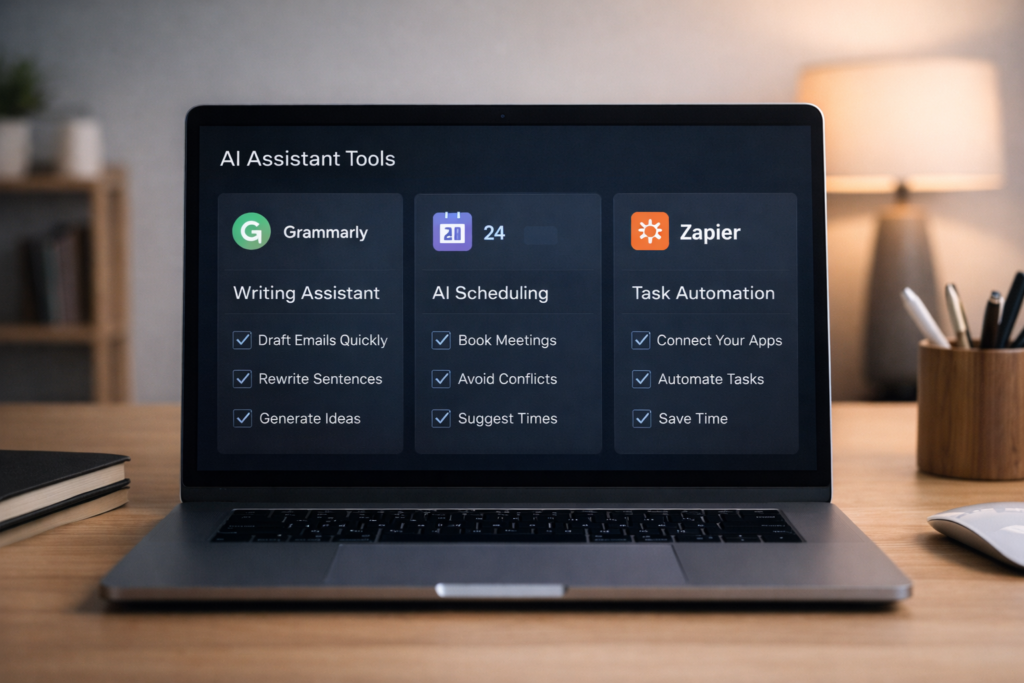
Tools like Zapier can connect different apps and automate simple workflows in the background. This removes repetitive manual work and saves time without changing your whole routine.
2. Use AI writing tools for faster communication
Writing takes up more time than most people realize. Emails, reports, summaries, and content drafts all add up.
AI writing tools can help you:
- Draft emails faster
- Rewrite unclear sentences
- Summarize long text
- Generate outlines and ideas
For example, Grammarly can improve clarity and tone, while ChatGPT can help brainstorm, draft, or simplify content.
3. Organize tasks with AI-powered planning tools
If your to-do list feels messy, AI tools can help you structure your work more clearly.
You can use them to:
- Break large tasks into smaller steps
- Prioritize urgent work
- Create reminders
- Summarize notes and action points
Tools like Notion AI can combine notes, planning, and task tracking in one place, which makes it easier to stay on top of your day.
4. Use smart scheduling tools to protect your time
Scheduling can waste a surprising amount of time, especially when meetings go back and forth.
AI scheduling tools can help by:
- Suggesting meeting times
- Avoiding calendar conflicts
- Sending automatic booking options
- Keeping your calendar more organized
This helps reduce interruptions and gives you more control over your workday.
5. Use AI to summarize and analyze information
A lot of productivity comes down to how quickly you can understand information and act on it.
AI tools can help you:
- Summarize meeting notes
- Extract key points from long documents
- Review trends in simple data
- Turn raw information into useful insights
This is useful for both personal productivity and professional work, especially when you need to make decisions quickly.
Best AI Tools for Productivity
Here are a few useful tools that fit naturally into daily work:
- ChatGPT for brainstorming, drafting, and summarizing
- Notion AI for notes, planning, and organization
- Zapier for workflow automation
- Grammarly for improving writing quality
You do not need all of them at once. Start with one or two tools that solve your biggest daily problem.
A Simple Way to Start Using AI Tools
If you are new to AI productivity tools, keep it simple.
Step 1: Pick one repetitive task
Choose one small task that wastes your time every day.
Step 2: Choose one tool
Match that task with one tool. For example, use Grammarly for writing or Zapier for automation.
Step 3: Test it for one week
Use the tool consistently and see how much time or effort it saves.
Step 4: Expand slowly
Once you are comfortable, add another tool for a different task.
This approach helps you build a useful system without feeling overwhelmed.
Common Mistakes to Avoid
When people start using AI tools, they often make a few avoidable mistakes:
- Using too many tools at the same time
- Expecting instant results without learning the basics
- Automating tasks that do not need automation
- Relying on AI without checking accuracy
The best approach is to start small, stay practical, and focus on tools that genuinely save time.
What are the best AI tools for productivity?
Some of the most popular options include ChatGPT, Notion AI, Zapier, and Grammarly. The best choice depends on the type of work you want to improve.
Can AI really boost productivity fast?
Yes, AI can save time quickly by automating repetitive tasks, improving writing, and helping you organize work more efficiently.
Are AI productivity tools good for beginners?
Yes, many AI tools are beginner-friendly and easy to start using without technical skills.
How do I choose the right AI productivity tool?
Start with your biggest daily problem. If writing takes too long, try a writing assistant. If repetitive tasks slow you down, try an automation tool.
Do I need to pay for AI productivity tools?
Not always. Many tools offer free plans or limited free versions, which are enough for beginners to test and learn.
The best productivity system is not the most complicated one. It is the one that saves you time consistently.
By using AI tools for productivity in the right way, you can automate repetitive tasks, stay organized, and work with less stress. Start with one simple tool, apply it to one daily problem, and build from there.