
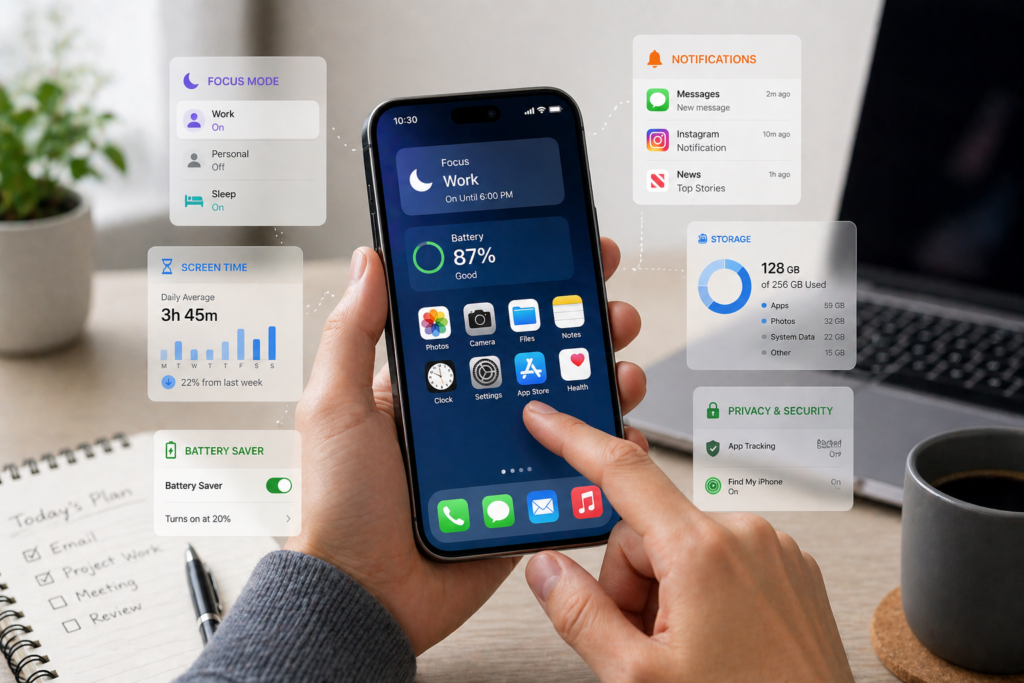
Most people use only a fraction of their smartphone’s capabilities. Behind the basic apps and settings, there are powerful hidden features that can save time, improve privacy, and boost performance.
The best part? These features are already on your phone—you just need to turn them on.
What Are Hidden Smartphone Features?
Hidden smartphone features are built-in tools or settings that are not immediately visible or widely used.
They are designed to:
- Improve usability
- Enhance security
- Save time and effort
Example:
Features like automation, focus modes, and app limits can reduce distractions without installing extra apps.
Why You Should Use Hidden Features
Using these features can significantly improve your daily experience.
Key Benefits
- Save 30–60 minutes daily through automation
- Improve battery life by 10–25%
- Increase privacy and security
- Reduce distractions and improve focus
Scenario:
Using focus mode during work hours can eliminate notifications, helping you complete tasks faster.
10 Hidden Smartphone Features You’re Not Using Yet
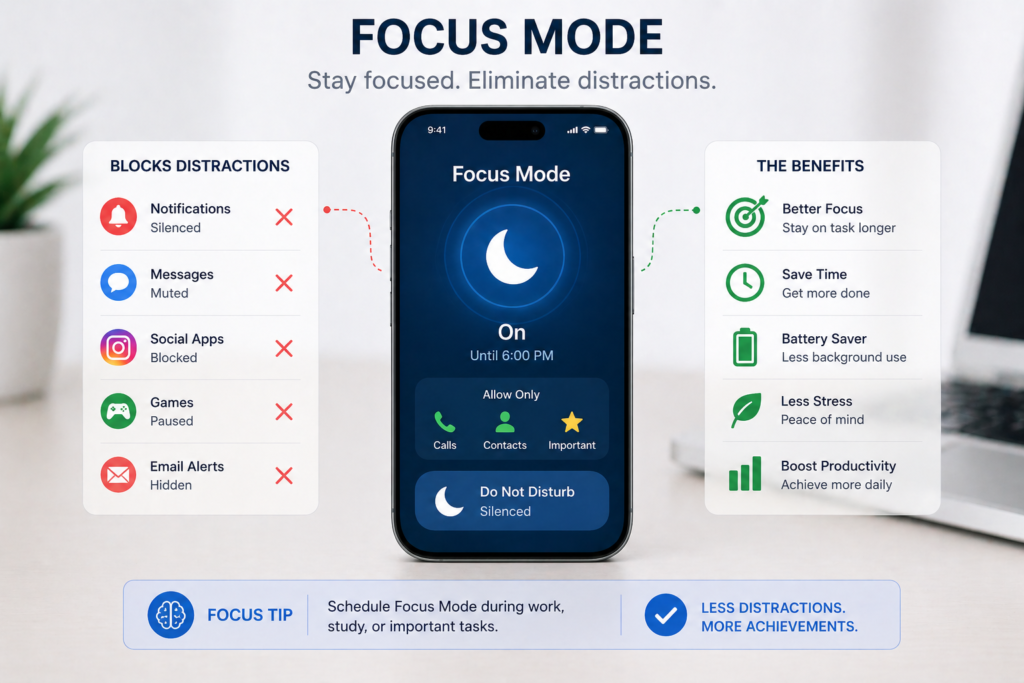
1. Focus Mode (Reduce Distractions)
Blocks distracting apps and notifications.
Example tools:
- Digital Wellbeing
- Focus Mode (iOS)
Use case:
Turn on during work hours to stay focused.
2. App Limits (Control Screen Time)
Set daily limits for apps.
Benefit:
Reduce usage by 20–40% without effort.
3. Back Tap Shortcuts (Quick Actions)
Tap the back of your phone to trigger actions.
Example:
Take screenshots or open apps instantly.
4. Built-In Screen Recording
Record your screen without extra apps.
Use case:
Create tutorials or save important content.
5. Live Text / Text Recognition
Extract text from images instantly.
Example:
Scan documents or copy text from photos.
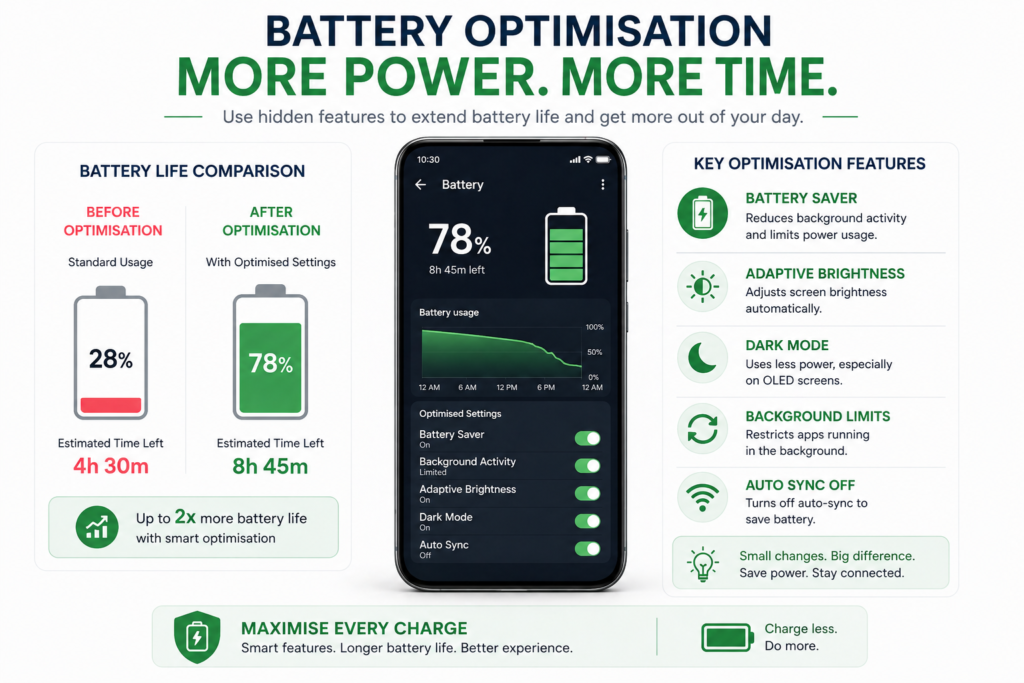
6. Battery Saver Automation
Automatically reduce power usage.
Benefit:
Extend battery life by 10–20% daily.
7. Secure Folder / Private Space
Hide sensitive apps and files.
Example tools:
- Secure Folder
8. Voice Commands & Assistants
Use voice to control your phone.
Example tools:
- Google Assistant
- Siri
9. One-Hand Mode
Shrink screen for easier use.
Best for:
Large-screen smartphones.
10. Hidden File Manager Features
Organise files efficiently.
Example tools:
- Files by Google
Real Examples of These Features in Action
Example 1: Productivity Boost
Using focus mode + app limits:
- Reduces distractions
- Saves 1–2 hours daily
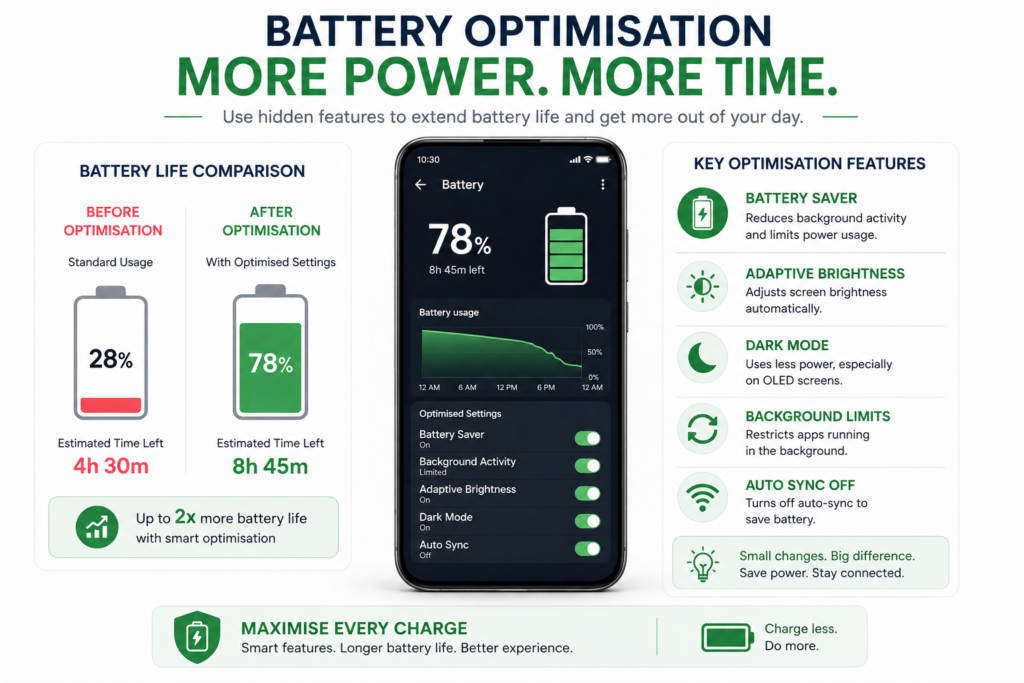
Example 2: Battery Efficiency
Using battery saver + background restrictions:
- Extends usage by 2–4 hours per day
Example 3: Faster Tasks
Using voice assistant:
- Set reminders instantly
- Send messages hands-free
Best Tools to Unlock Smartphone Features
🌍 Global
- Google Assistant – hands-free control
- Files by Google – manage storage easily
- IFTTT – automate tasks
🇺🇸 United States
- Siri – iPhone voice control
- Shortcuts – custom automation
🇬🇧 UK / Europe
- Samsung Members – tips and features
- Huawei AI Life – smart device control
⚙️ Advanced Users
- Tasker – advanced automation
- ADB – deeper control
Common Mistakes to Avoid
- Ignoring built-in features
- Installing unnecessary apps
- Not updating your phone
- Overcomplicating settings
Better approach:
Use built-in tools first before downloading new apps.
FAQ
Are hidden smartphone features safe to use?
Yes. These are built-in features designed by manufacturers.
Do hidden features drain battery?
No. Many actually improve battery life.
Can I use these features on any phone?
Most features are available on Android and iOS, though names may differ.
Do I need apps to use these features?
No. Most are already built into your phone.
How do I find hidden features?
Search in your phone’s settings or use built-in search tools.
Conclusion
Your smartphone is far more powerful than you think. By unlocking hidden features, you can save time, improve focus, and get more value from your device.
Start with just 2–3 features today, and you’ll immediately notice the difference.