Every day, your personal data is being collected, stored, and sometimes exposed—often without you realising it.
From emails and passwords to banking details, your digital identity is valuable. And if it’s compromised, it can lead to financial loss, identity theft, and long-term damage.
The good news? You don’t need to be a tech expert to protect yourself.
What Is a Digital Identity?
Your digital identity is all the information about you that exists online.
This includes:
- Email accounts
- Social media profiles
- Online banking details
- Login credentials
- Browsing activity
Simple definition:
Your digital identity is your online presence and personal data combined.
Why Protecting Your Digital Identity Is Important
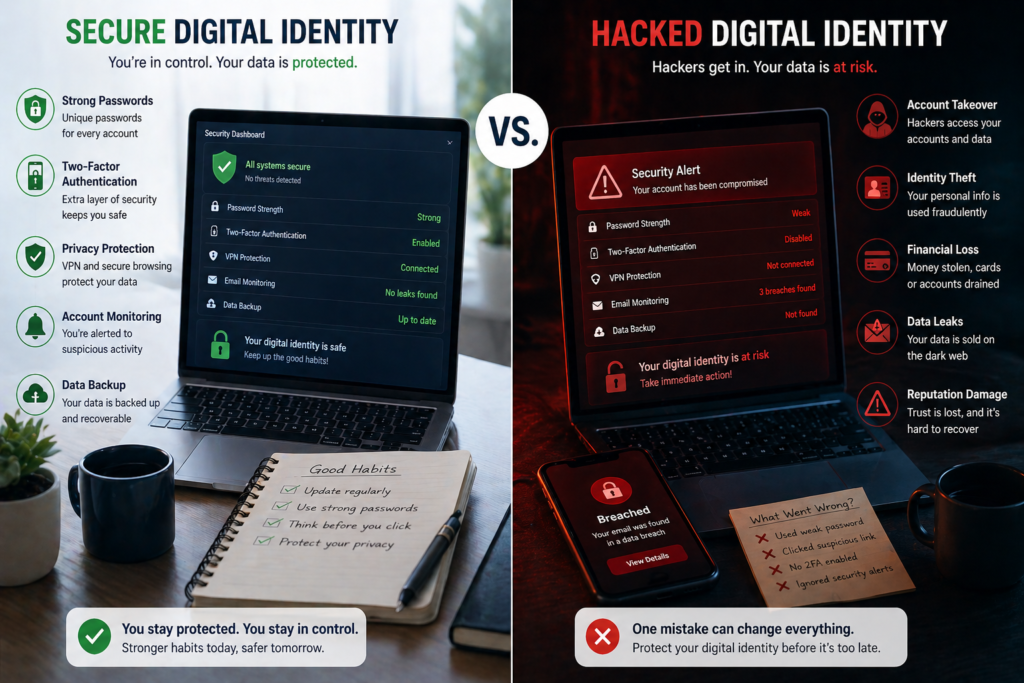
If your digital identity is exposed, hackers can:
- Access your accounts
- Steal money
- Impersonate you
- Sell your data online
Example:
A single compromised password can give access to multiple accounts if reused—leading to losses of $500–$5,000+ in serious cases.
How Hackers Access Your Data
Understanding the risks helps you prevent them.
1. Weak Passwords
Using simple or repeated passwords makes hacking easier.
Example:
Using “123456” or the same password across 5+ accounts increases risk significantly.
2. Phishing Attacks
Fake emails or messages trick you into revealing information.
Example:
An email pretending to be from your bank asking you to “verify your account”.
3. Data Breaches
Companies sometimes get hacked, exposing user data.
Example:
Your email and password may be leaked without your knowledge.
4. Public Wi-Fi Risks
Unsecured networks allow hackers to intercept data.
Example:
Logging into banking apps on public Wi-Fi can expose sensitive information.
How to Protect Your Digital Identity (Step-by-Step)
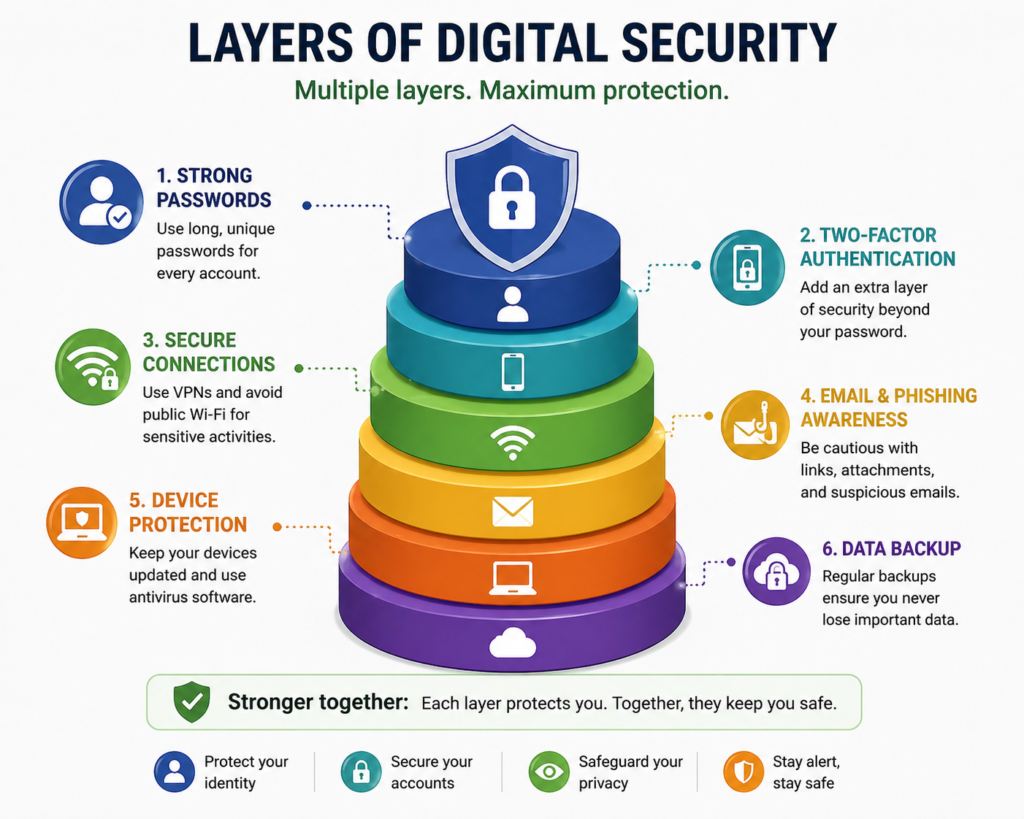
1. Use Strong, Unique Passwords
Every account should have a different password.
Best practice:
- At least 12–16 characters
- Mix of letters, numbers, symbols
Example:
Instead of “password123”, use something complex like a generated password.
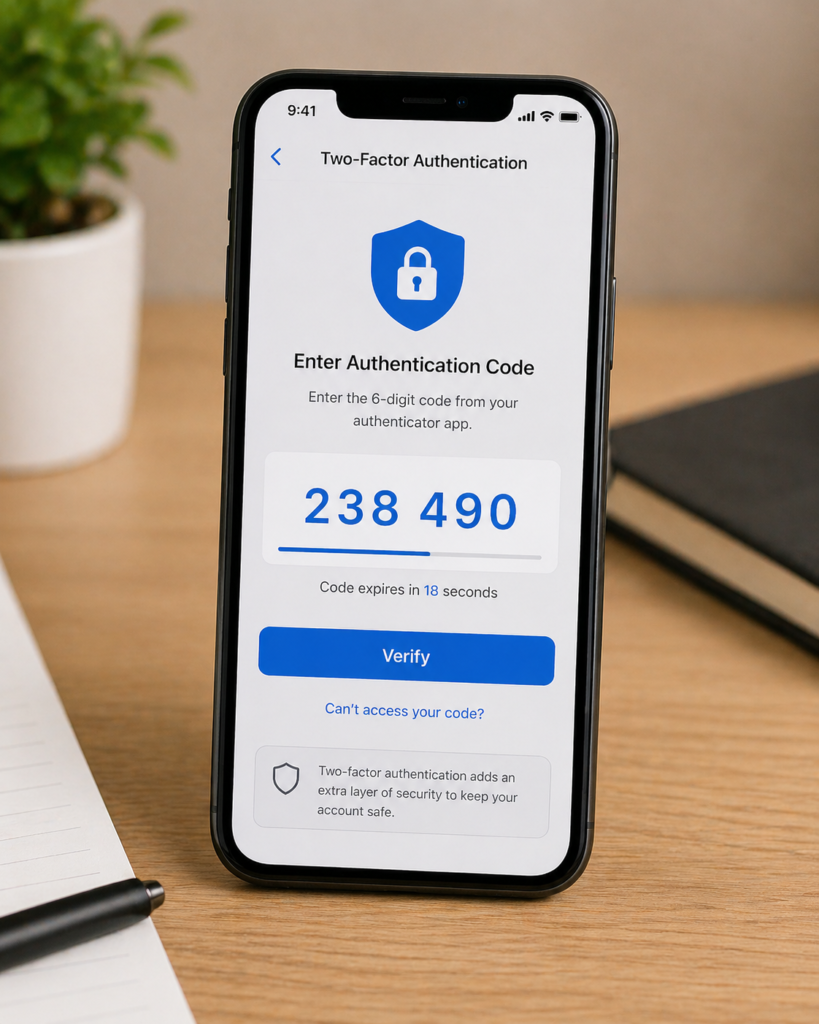
2. Enable Two-Factor Authentication (2FA)
This adds an extra layer of security.
How it works:
- You log in with a password
- Then confirm via phone or app
Example:
Even if a hacker gets your password, they can’t access your account without your phone.
3. Use a Password Manager
Remembering multiple passwords is difficult—use tools instead.
Best Tools to Protect Your Digital Identity
🌍 Global Tools
- LastPass – store and generate secure passwords
- Bitwarden – secure, open-source password storage
- NordVPN – protect browsing and data privacy
🇺🇸 United States
- 1Password – premium password protection
- Dashlane – password + dark web monitoring
- Aura – identity theft protection
🇬🇧 UK / Europe
- Proton VPN – privacy-focused browsing
- Kaspersky Security Cloud – full device protection
- Avast One – all-in-one protection suite
⚙️ Advanced Users
- Wireshark – monitor network activity
- Tails OS – anonymous browsing
- Tor Browser – enhanced anonymity online
4. Avoid Public Wi-Fi for Sensitive Tasks
If you must use it:
- Use a VPN
- Avoid logging into sensitive accounts
5. Regularly Check for Data Breaches
Use tools to monitor your email.
Example:
Check if your email has been exposed and update passwords immediately.
6. Keep Software Updated
Updates fix security vulnerabilities.
Example:
Outdated apps and systems are easier targets for hackers.
7. Be Careful With Emails and Links
Always verify before clicking.
Simple rule:
- If it feels urgent or suspicious, don’t click
Real-Life Protection Setup (Simple Scenario)
Here’s a practical setup anyone can follow:
- Use Bitwarden for passwords
- Enable 2FA on email and banking
- Install a VPN like NordVPN
- Limit social media exposure
Time required: 30–60 minutes
Impact: Reduces hacking risk significantly
How Much Does Protection Cost?
Basic protection can be free.
Typical costs:
- Password manager: $0–$5/month
- VPN: $3–$10/month
- Full protection tools: $10–$20/month
Example:
Spending $5–$10/month can protect against losses of $500–$5,000+.
Common Mistakes to Avoid
- Reusing passwords
- Ignoring security updates
- Clicking unknown links
- Not using 2FA
Small mistakes can lead to major risks.
FAQ
What is the best way to protect your digital identity?
Use strong passwords, enable 2FA, and avoid suspicious links or unsecured networks.
Can hackers access my accounts without a password?
Yes, through phishing, malware, or data breaches if additional security isn’t enabled.
Is using a VPN necessary?
It’s highly recommended, especially on public networks, to protect your data.
How often should I update my passwords?
Every 3–6 months or immediately after a suspected breach.
Are free security tools enough?
Yes for basic protection, but premium tools offer stronger security features.
Conclusion
Protecting your digital identity is no longer optional—it’s essential.
By taking simple steps like:
- Using strong passwords
- Enabling 2FA
- Avoiding risky behaviour
You can dramatically reduce your risk.
Take action today:
Secure your main accounts in the next 30 minutes—it could save you thousands.